You already emailed the parent. Don't type it into PowerSchool again.
ParentLog turns the email you sent into a PowerSchool log entry in one click — and keeps your own list of every parent contact.
Add to ChromeHow it worksFree during the pilot · Gmail and Outlook · Nothing leaves your browser
Step 1
Click "Log this contact"
In Gmail or Outlook, on the email you sent or received. ParentLog reads that one message, nothing else.
Step 2
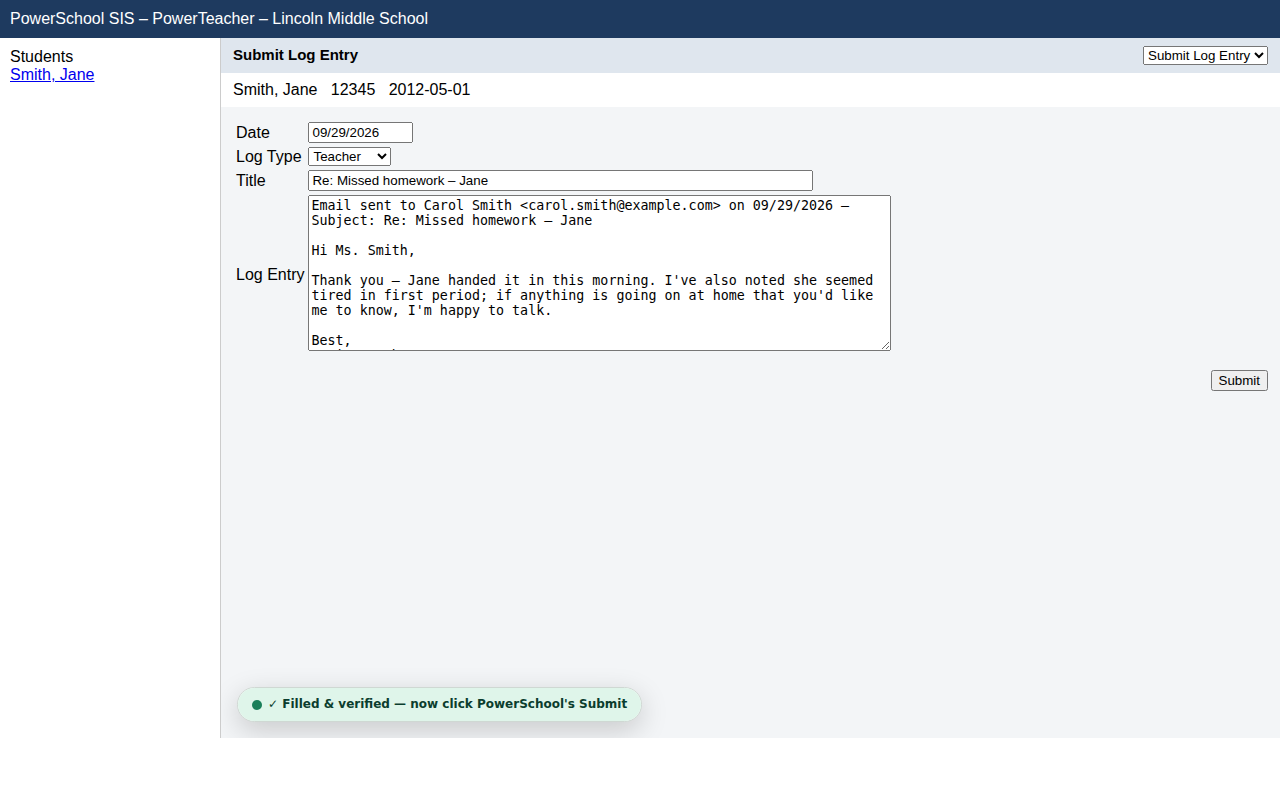
Open the student in PowerSchool
Go to Submit Log Entry as usual. ParentLog fills Date, Log Type, Title and the entry text.
Step 3
Check it, click Submit
You always review first. ParentLog never submits for you, and marks the contact as saved once PowerSchool confirms.
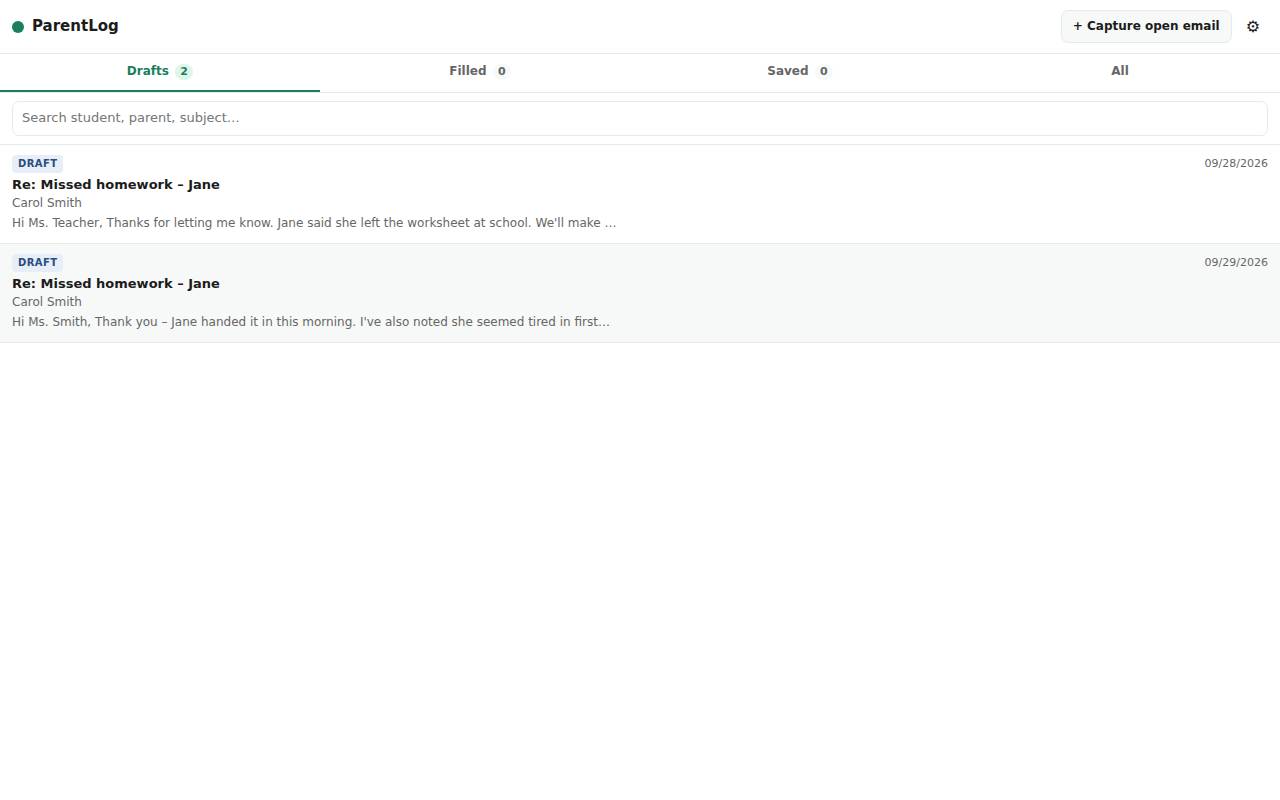
Your own contact ledger
Finally see your parent contacts for the week without hunting through PowerSchool.
- Drafts, filled and saved — you always know what's logged
- Search by student or parent
- Add an outcome note: "parent replied 9/30"
- Export to CSV any time
0 serversNo account, no cloud, no AI. Data stays in your Chrome.
1 siteRuns only on the PowerSchool address you allow.
You submitParentLog fills the form; the Submit click is always yours.